ShootTempo Sign in
10:40:08 AM 5m behind

Your crew's next best friend.

ShootTempo runs the shoot day. The schedule follows the clock, call sheets and daily reports fill themselves in, and every crew member gets a live link on their phone.

Invite-only while we use it on real shoots: request access and we'll set up your company. Works on iPhone, iPad and computer, with no app to install.

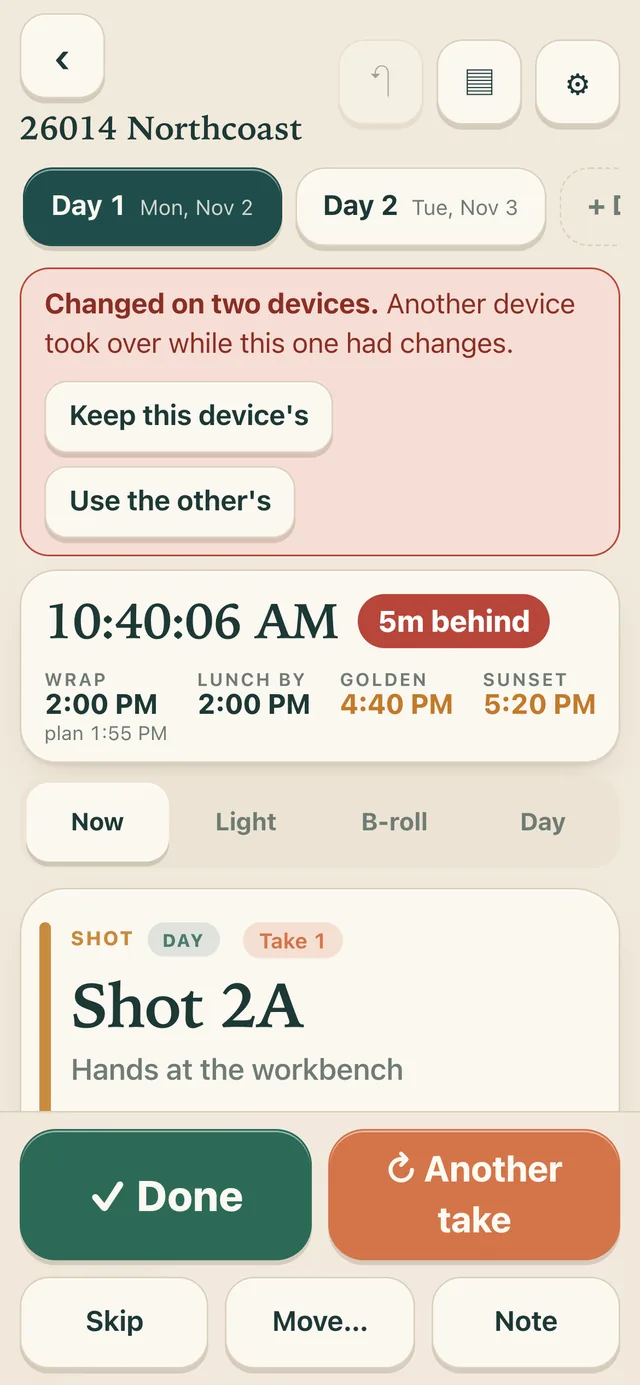
ShootTempo on a phone mid-shoot: 10:40 AM, five minutes behind, Shot 2A rolling with Done and Another take buttons.
On set

The day moves. The plan moves with it.

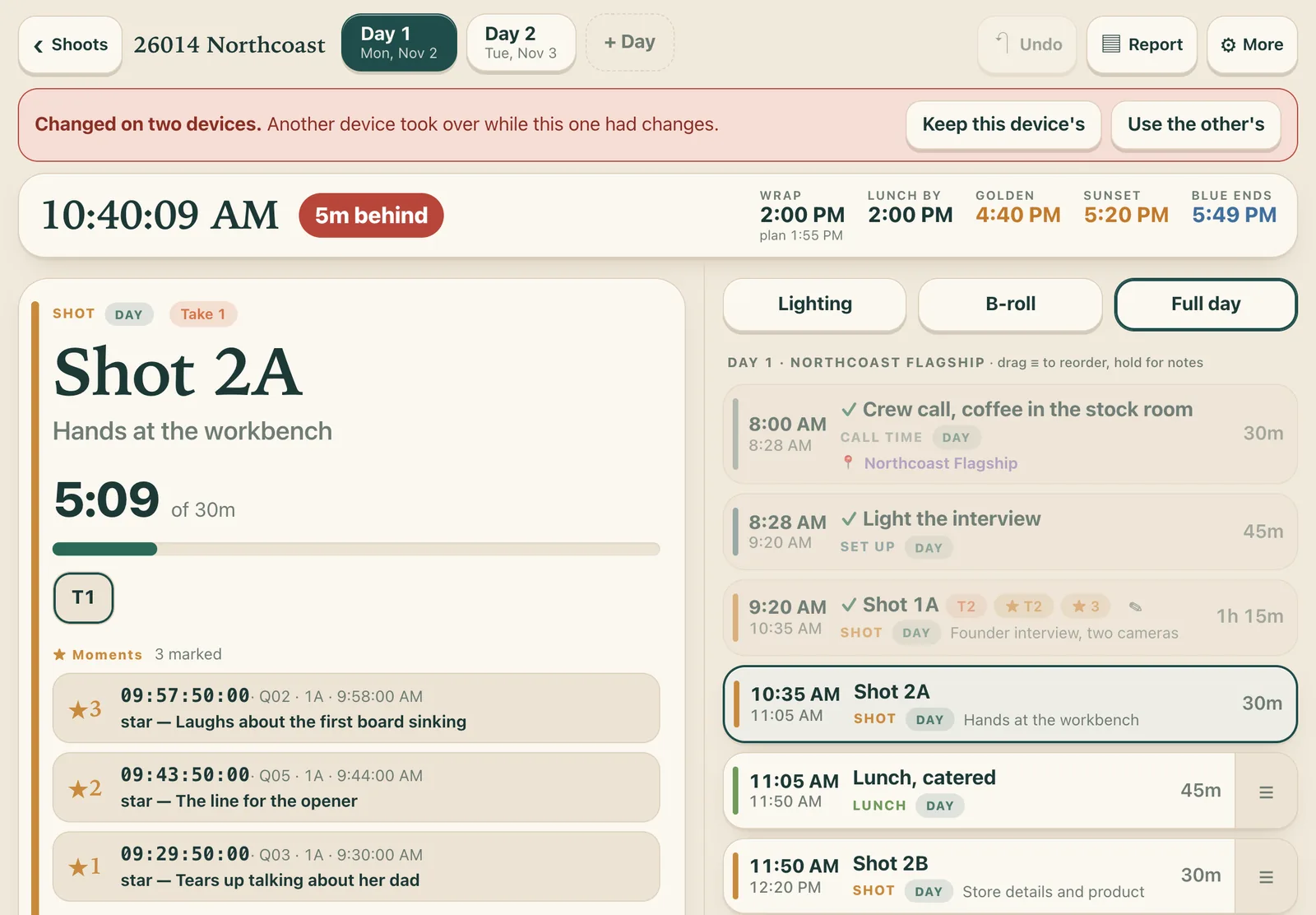
Tap Done and the next setup starts. Run long and every time after it shifts, so you always know the real wrap.

  • LIVEAhead or behind at a glance, with lunch-by time and a warning before the six-hour mark.
  • SUNGolden hour, sunset and blue hour for your location, right next to the shots that need them.
  • TAKESCount takes, add a note to each, and star the best one.
  • MOMENTSMark the great answers during an interview. They export as timecoded markers for DaVinci Resolve, one sequence per subject.
The full day on an iPad: the current shot with timer and marked interview moments on the left, the day's schedule with planned and actual times on the right.
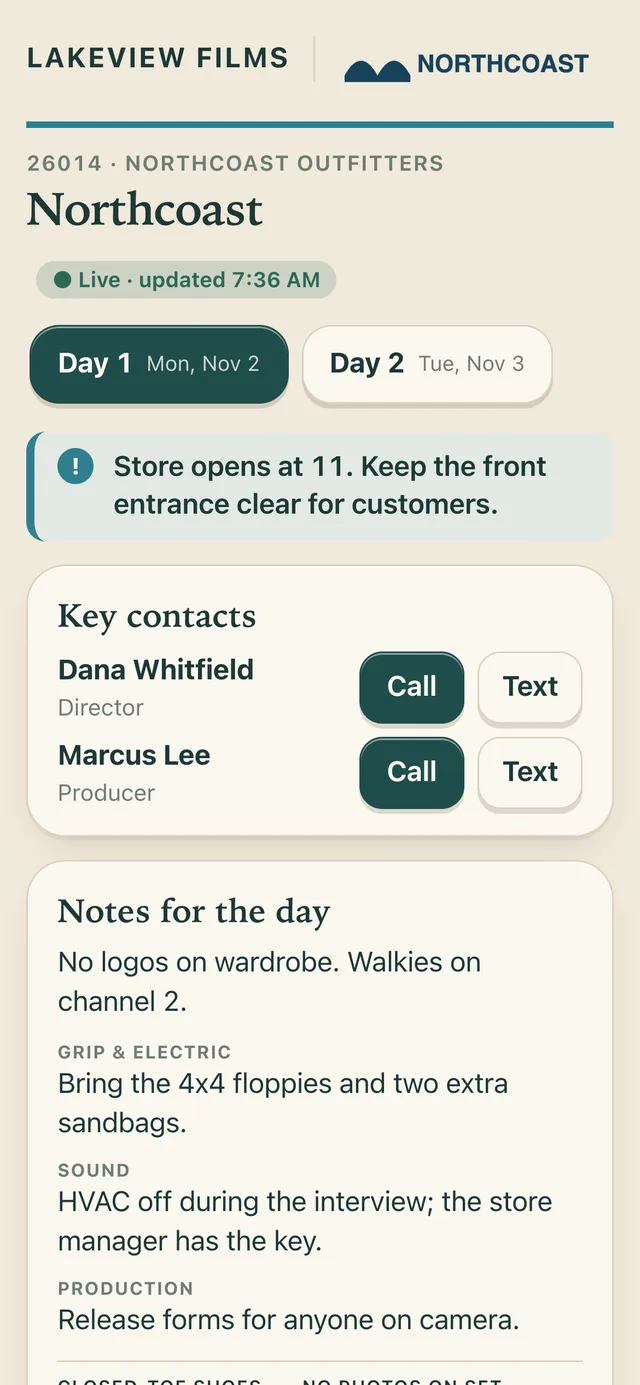
The crew page on a phone: company and client logos, a highlighted parking note, key contacts with Call and Text buttons, and notes for each department.
For the crew

One link. Always the latest call.

Every crew member gets their own link with their call time, where to park and who to call. They confirm with one tap, and you see who has.

  • CONFIRMCall times go out by email. If a call changes, they're asked to confirm again.
  • CONTACTCall or text the producer and director straight from the page.
  • PRIVATECrew see the schedule, not your notes, interview questions or anyone's email.
Paperwork

Call sheets and daily reports, already done.

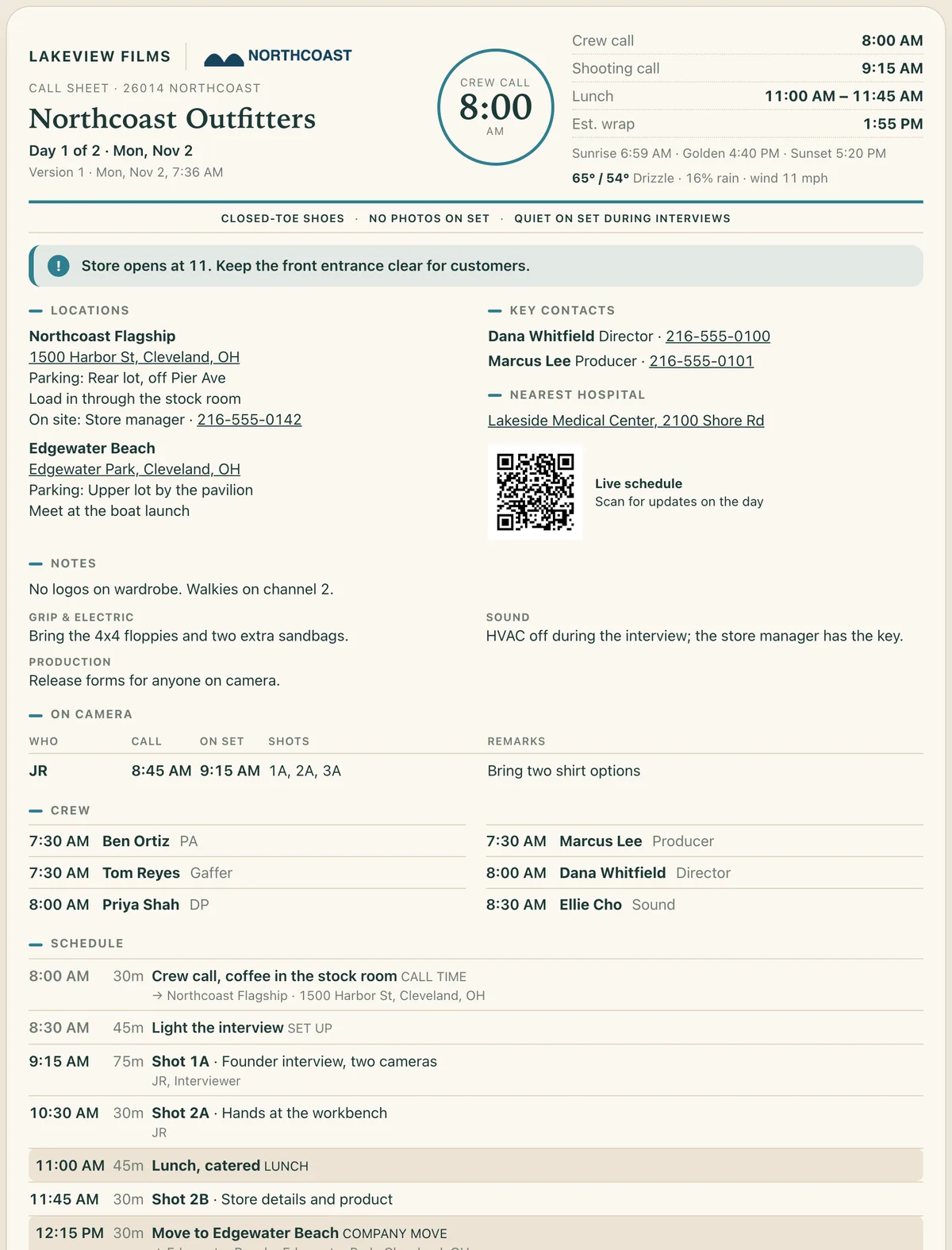
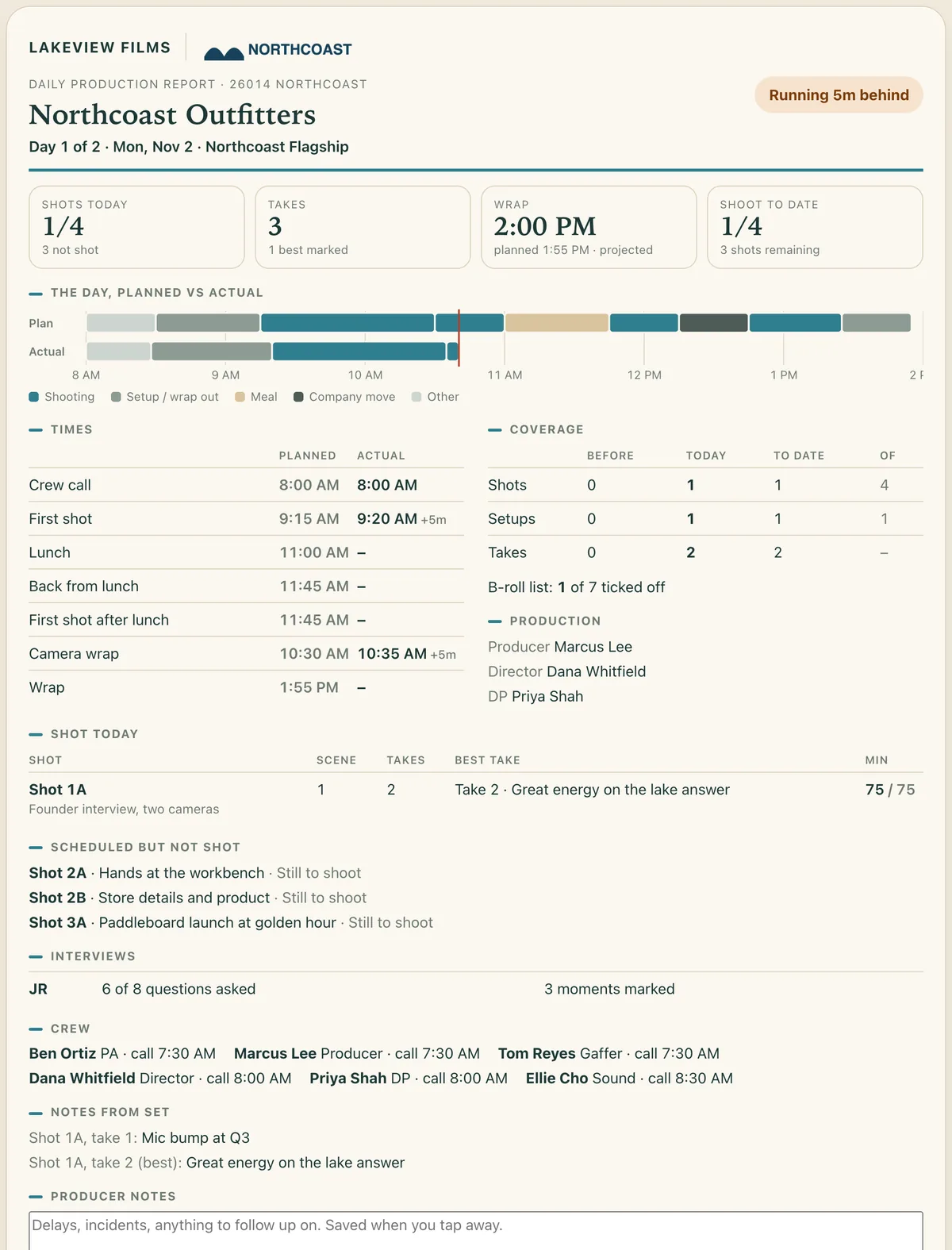
The call sheet builds itself from your schedule, with weather, sun times, the nearest hospital and a QR code to the live page. At wrap, the daily report fills in from what actually happened.

A call sheet with company and client logos, an 8:00 AM crew call badge, key times, set rules, a parking alert, locations, notes by department and the schedule.
Call sheet. Versioned, so the crew can tell v2 from v1. Saves as a PDF named for the shoot, day and version.
A daily production report: running five minutes behind, shots and takes, a planned-versus-actual timeline of the day, recorded times and coverage.
Daily production report. Planned against actual, best takes, what didn't get shot and why. Add your notes and send.
E-ink slate

Your slate, with this client's logo.

Keep your slate layout and swap the logos per shoot. ShootTempo draws it at 800 × 480 in grayscale, ready for an e-ink slate.

  • LOGOSClient, your company, any other logo, or blank, on either side.
  • FILL INLeave the fields blank, or print the production, director, date and interview subject.
An 800 by 480 grayscale slate: production, director Dana Whitfield, date, interview JR, cameras A, B and C, with the client's logo and the production company's name.800 × 480 · GRAYSCALE
Everything else

Built by a working crew, for working crews.

Plan in a spreadsheet

Fill in the Google Sheet template, or have AI fill it from your brief, then paste the link.

Interview questions

Questions per subject on the side of the screen, with what's been asked and what hasn't.

Lighting and gear

Diagrams and gear lists for each setup, plus a B-roll checklist for every segment.

Your team

Producers get their own sign-in and see only the shoots you share with them.

Contacts

Your company's people in one place. Add them to a shoot in one tap.

Your brand

Your logo and color on every crew page, call sheet and email.

Works offline

Basements and back lots are fine. Changes sync when you're back online.

Versions

A saved copy every shoot day, and before every big change. Restore any of them.

Timecode

Point the camera at its own screen to sync timecode for your markers.
Crew call

Run your next shoot with it.

ShootTempo is invite-only while we use it on real shoots. If you run documentary or brand shoots, request access and we'll set up your company's account.

Request access